Coacha plans your runs, lifts, rides and PT as one week, around your goal and your schedule. Tell it you're sore, traveling or short on time, and it changes what needs changing. Every workout your watch records gets a review.
Free for 7 days on iPhone. Sends your workouts to Apple Watch and Garmin.
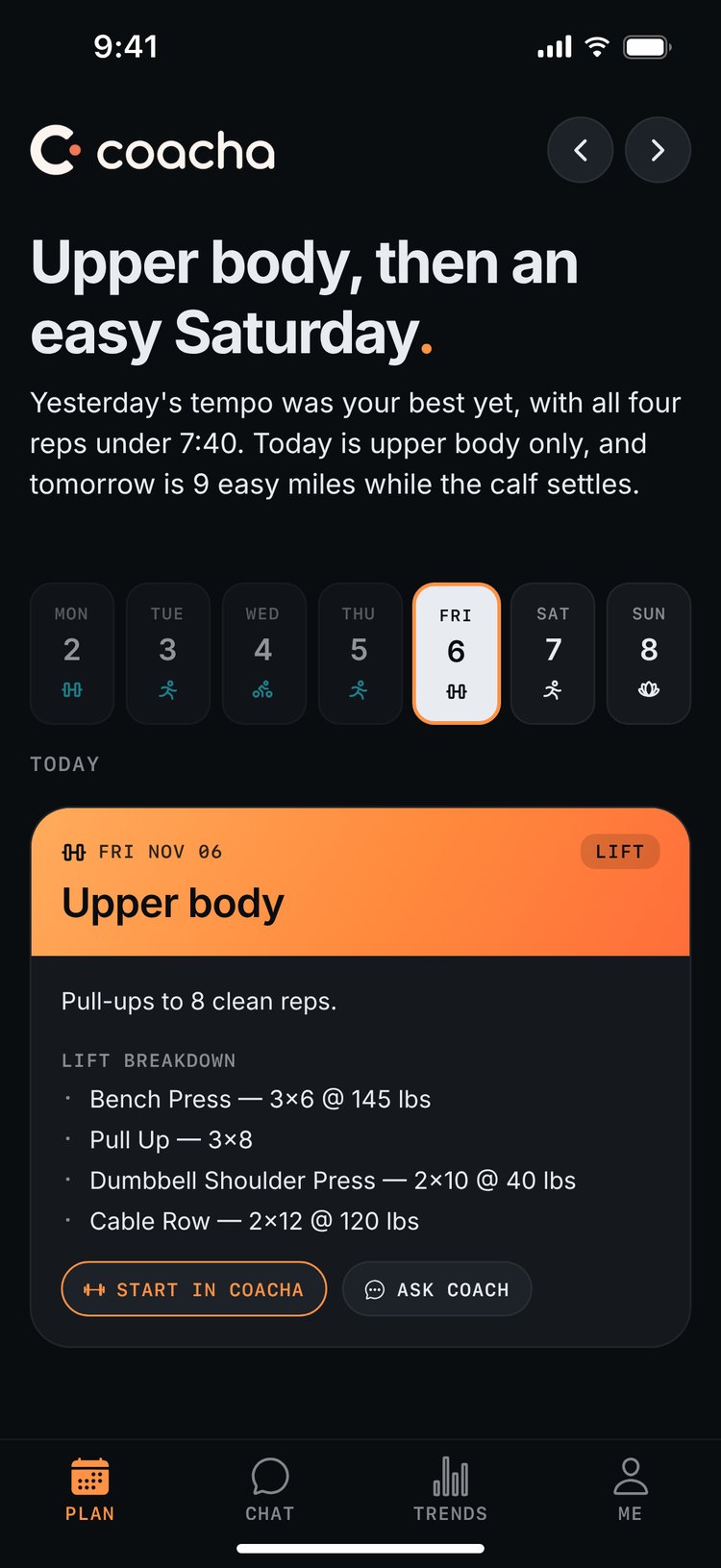
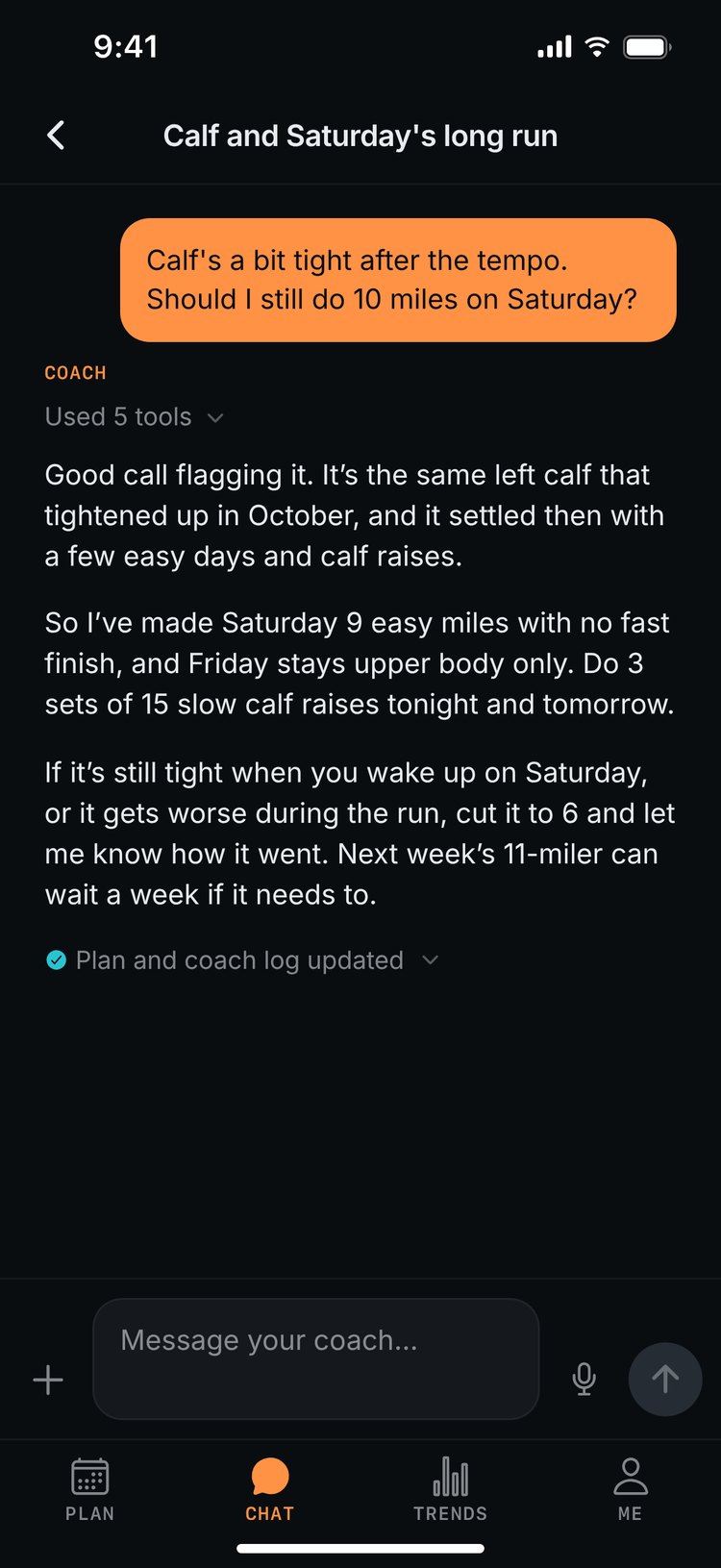
Most training apps plan one sport. Coacha plans all of yours in the same week, so heavy squats don't land the day before your long run and PT goes on the days you have room for it.
Every session comes with its targets: sets, reps and weight for a lift, pace or heart rate for each interval. Start a lift and your sets are already filled in, and you can log each one from the Lock Screen.
A sample weekHalf marathon in January, lifting twice a week
Tell your coach what's going on, in a sentence or a voice note. It changes only the sessions that need to change, leaves the rest of the week alone and tells you why.
Send a photo of a hotel gym and you get a workout for the equipment in it.
Your runs, rides, swims and lifts show up on your Apple Watch or Garmin, with the pace or heart rate for every rep. Change the plan and the watch updates.
Thursday's tempo, on your watchApple Watch or Garmin
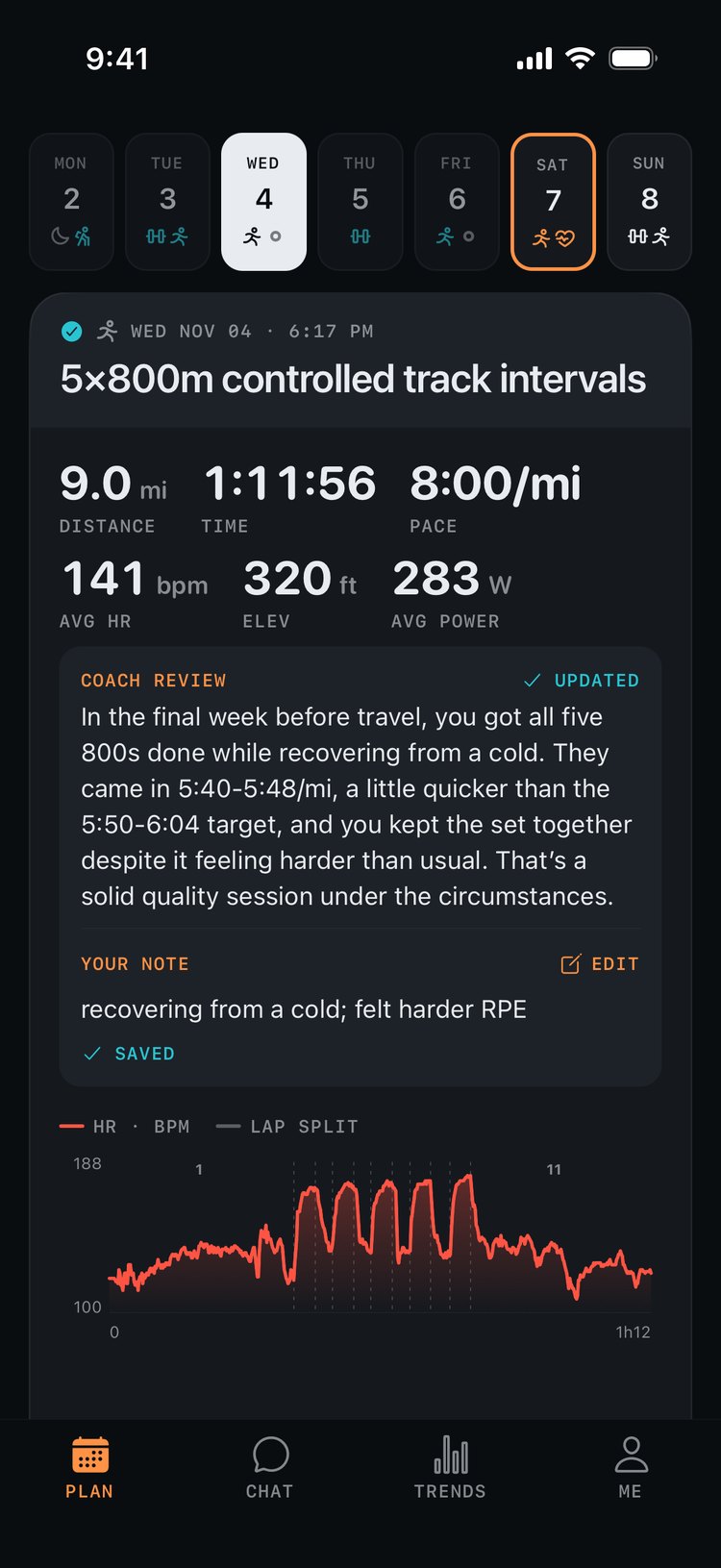
When a run, ride or lift syncs from your watch, your coach checks it against the plan and tells you what it means for the rest of the week. It finds your intervals in the recording, checks each rep's pace and heart rate against its target, and compares the session with your recent ones of the same kind.
Lifts get the same attention: every set and RPE is logged, and each lift's estimated 1RM is tracked over time. Add a note to any workout and the review is redone with it.
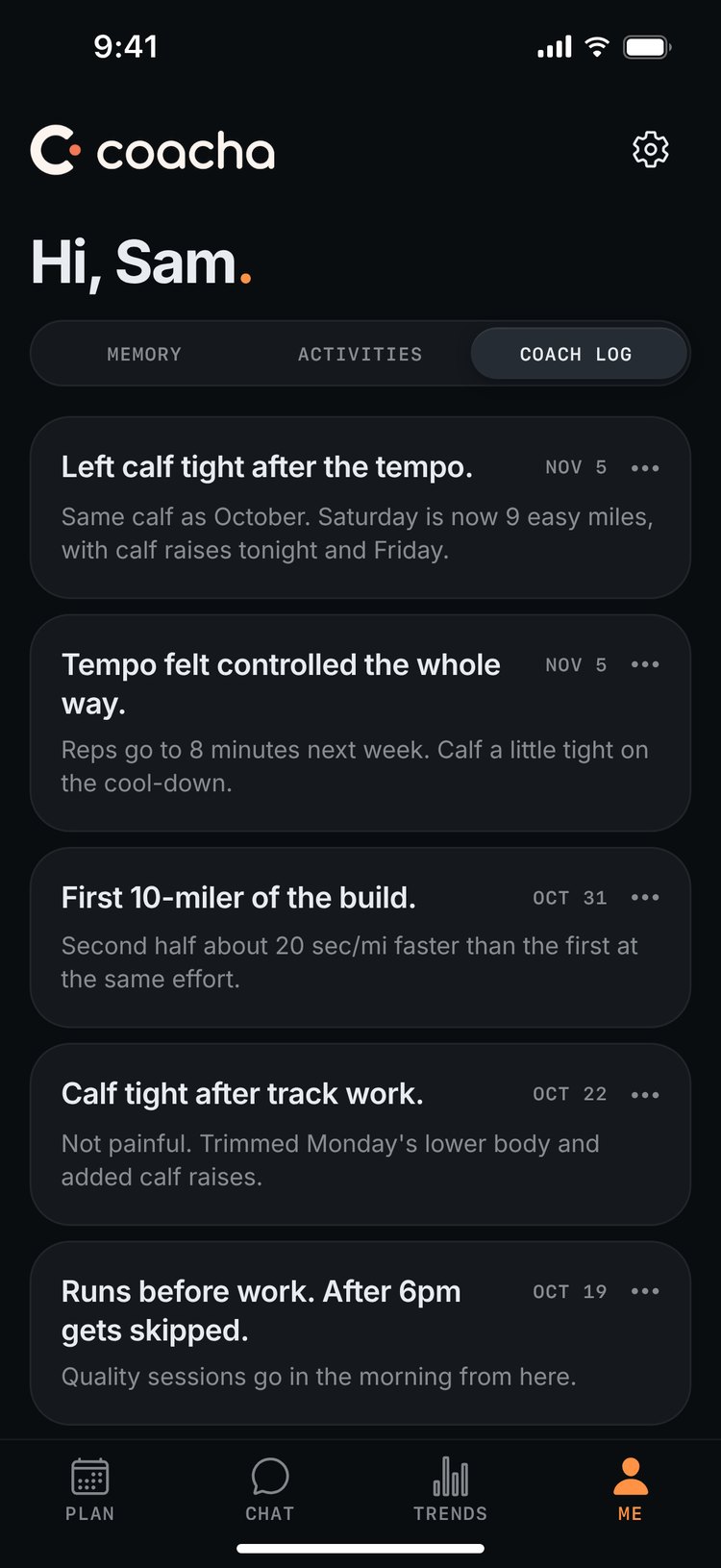
Your goals, injuries, the days you can train and the gear you have are saved on the Me tab, where you can change or delete any of it. Every plan is checked against them, and the coach log keeps what was decided and why.
Your coach also checks in on its own: a note on today's session at the time you pick, a review after each workout, and a Sunday check-in to plan the week ahead.
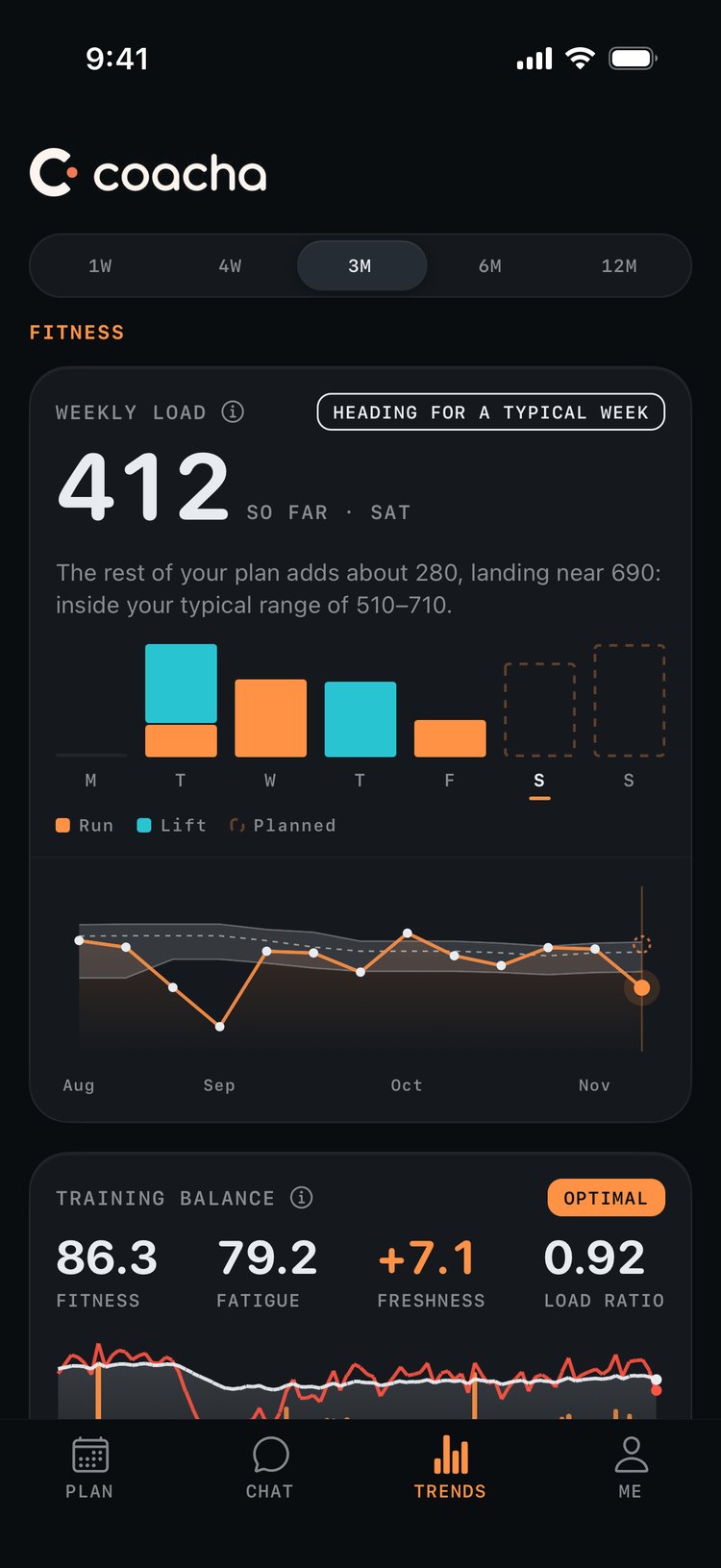
Trends counts fitness, fatigue and freshness across every sport, so a heavy lifting week shows up next to your miles. You can see where this week is heading before it's over, and tap any lift to follow its top sets and estimated 1RM.
Most people training for something use one of these. Two leave out most of what a coach does, and the third costs five to ten times as much.
About $20 a month
It writes a decent workout, but it loses track of what you told it in earlier chats and doesn't learn more about you over time. It never reminds you or follows up on its own, it doesn't have the tools to analyze your workout data properly, and there's nowhere to look at your plan or your activities.
About $20 a month
Out-of-the-box plans and basic AI recaps, but you can't talk to it like a coach. It won't plan across sports, follow up about an injury or adjust your week when your schedule changes.
$100 to $200 a month
A real coach who plans your training through an app. It's close to what Coacha does at five to ten times the price, and they won't answer right away when you have a question mid-workout or late at night.
$19.99 a month
A coach's job at an app's price. It remembers what you tell it, plans every sport you do as one week, follows up on its own and changes the plan as soon as you say what happened. Every workout gets a review as it syncs, and you get an answer the moment you ask, mid-workout or at midnight. If you already use ChatGPT, Claude or Gemini, connect Coacha and ask about your training there too.
Sync your workouts from Apple Health, Garmin or both, and Coacha reads your past year of training. COROS, Polar, Wahoo and other devices come in through RunGap.
Share your goals, the days you can train, your equipment and any injuries in a short conversation. Type or talk, and your coach keeps all of it in mind from then on.
Coacha sets out how you'll get from where you are to your goal over the next few months, then your first week lands on the Plan tab, ready to train.
A chatbot answers when you ask. Coacha keeps your plan current, remembers what you've told it, reviews each workout as it syncs and checks in on its own. See how the options compare.
Most training apps plan one sport and adjust through settings, like moving a workout or changing a race date. Coacha plans every sport you do in one week, you change it by telling your coach what's going on, and it reviews each workout against the plan.
A virtual coach, like Future or Trainwell, is a person, which some athletes want, and some will look at videos of your form. Coacha does the same planning, adjusting and reviewing for every sport you do, for $19.99 a month instead of $100 to $200. It also answers right away, even mid-workout or late at night.
Your workouts go to Apple Watch and Garmin. Turn it on in Me → Settings → Send workouts to watch. Apple Watch needs iOS 17 or later; Garmin needs your Garmin Connect™ account linked.
Works best with an Apple Watch. Coacha reads your workouts from Apple Health with full heart-rate, pace and power detail, with nothing else to set up.
Garmin connects directly. Link your Garmin Connect™ account and each workout arrives a few minutes after your watch syncs, with full heart-rate, pace and power detail. Your earlier workouts come in through Apple Health, so turn on Apple Health in the Garmin Connect™ app.
COROS, Polar, Wahoo, Zwift and other recorders work through RunGap. Apple Health keeps only coarse detail from those devices, so Coacha walks you through setting up the RunGap app to bring in the full workout.
Peloton connects to Apple Health directly from the Peloton app.
Hevy. Lifts you log there come in, and routines your coach builds go out. Or log lifts in Coacha's own tracker.
Yes. Coacha connects to each of them over MCP, the standard way AI assistants plug into other apps. Ask about last week or tell it to move a session, and the change shows up in Coacha. It's included with Coacha Pro, and the assistant runs on your own ChatGPT, Claude or Gemini plan.
Claude: add Coacha as a custom connector on claude.ai, in Claude Desktop or in Claude Code. ChatGPT: needs Plus or higher, set up once on chatgpt.com with Developer mode on. Gemini: on gemini.google.com, add Coacha under Settings → Connected Apps (US only, 18 and over, personal Google accounts). The steps and your connection link are in the app under Me → Settings.
No. Coacha plans training around the injuries you share, but it isn't a substitute for a doctor or physical therapist. See a professional for diagnosis or treatment.
Not yet. Coacha is iPhone-only for now, and Android is on our list.
$19.99 per month after a 7-day free trial, billed through the App Store. You can cancel anytime in your Apple ID settings and keep access until the end of the billing period.
Free for 7 days, then $19.99 a month through the App Store. Cancel anytime in your Apple ID settings.

